
Simple Incident Logging for Staff
Teachers can quickly log pastoral concerns using a built-in entry form. Key details such as the student name, concern category, date, and summary are recorded in seconds.
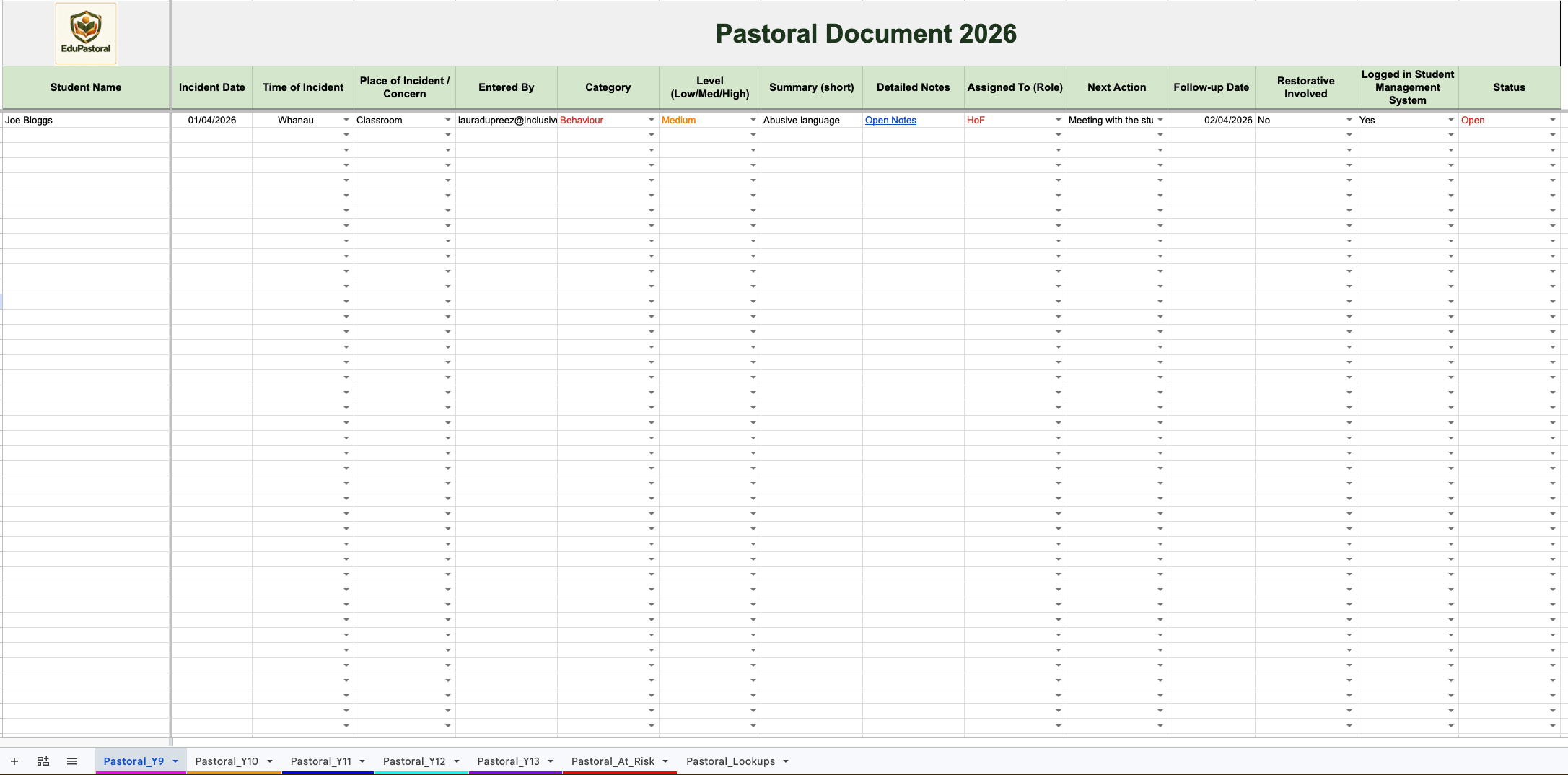
Each entry is automatically organised into the correct year-level pastoral sheet, giving pastoral teams a clear overview of all incidents and concerns for their cohort.
Detailed Case Notes with Google Docs
Every pastoral record can generate a linked Google Doc for detailed notes. This allows staff to record ongoing conversations, actions, and updates without cluttering the spreadsheet.
Storing detailed notes in linked documents helps schools maintain a clear, organised history for each case. Staff with access to those documents can collaborate and record updates as required.
Year-Level Pastoral Tracking
EduPastoral organises pastoral records into year-level tabs so staff can quickly review incidents for a particular cohort.
Colour-coded categories, concern levels, and case statuses make it easy to scan the sheet and identify important cases at a glance.
Staff can update case statuses as situations develop, helping teams track whether cases are open, under monitoring, or resolved.
Automatically Identify At-Risk Students
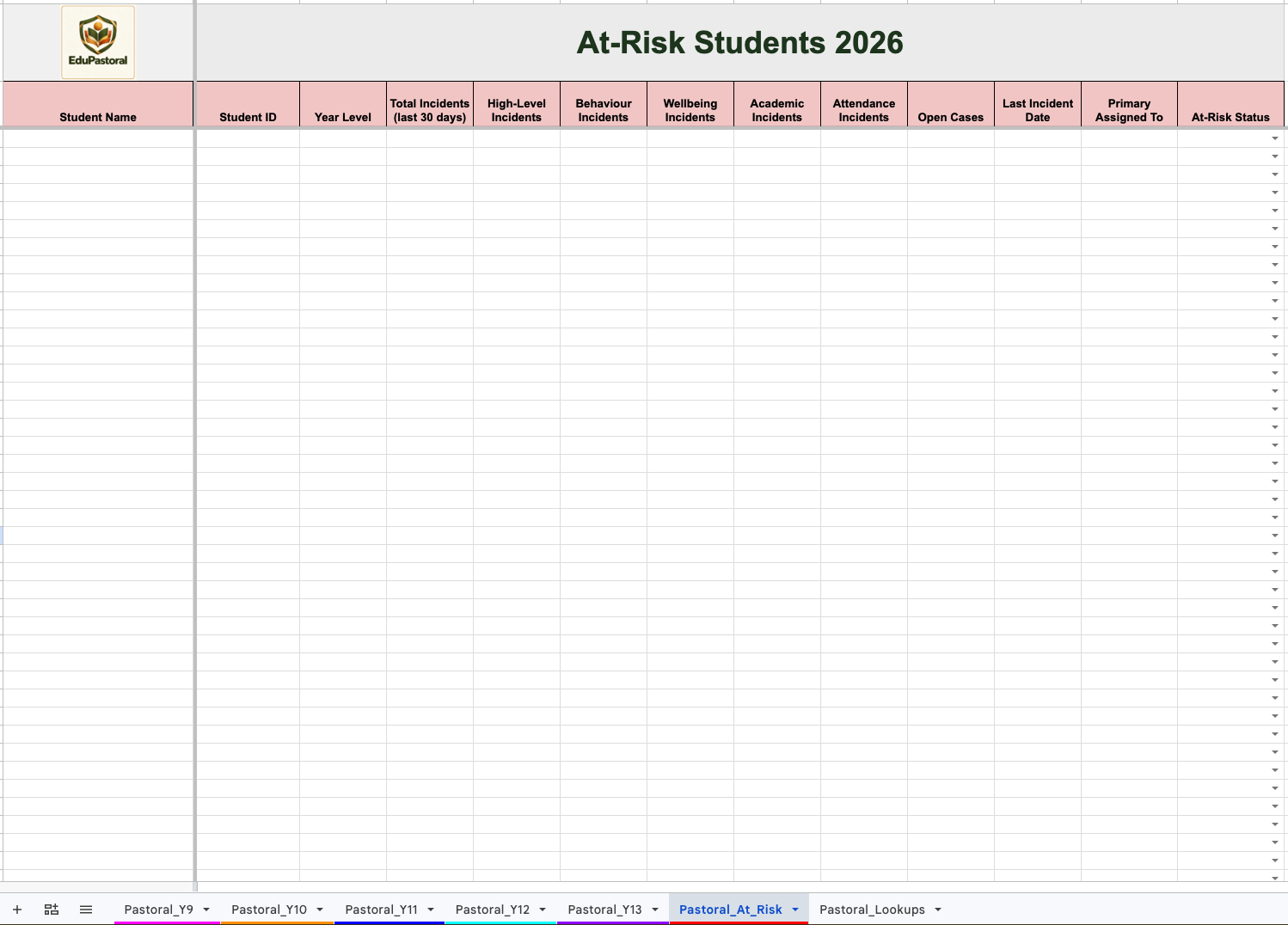
EduPastoral includes an At-Risk Dashboard that automatically identifies students who may require additional support.
The dashboard analyses pastoral records based on configurable criteria such as:
Number of incidents
High-level concerns
Open cases
Recent activity
This allows pastoral teams and senior leadership to identify patterns early and respond proactively to student needs.
Customisable for Your School
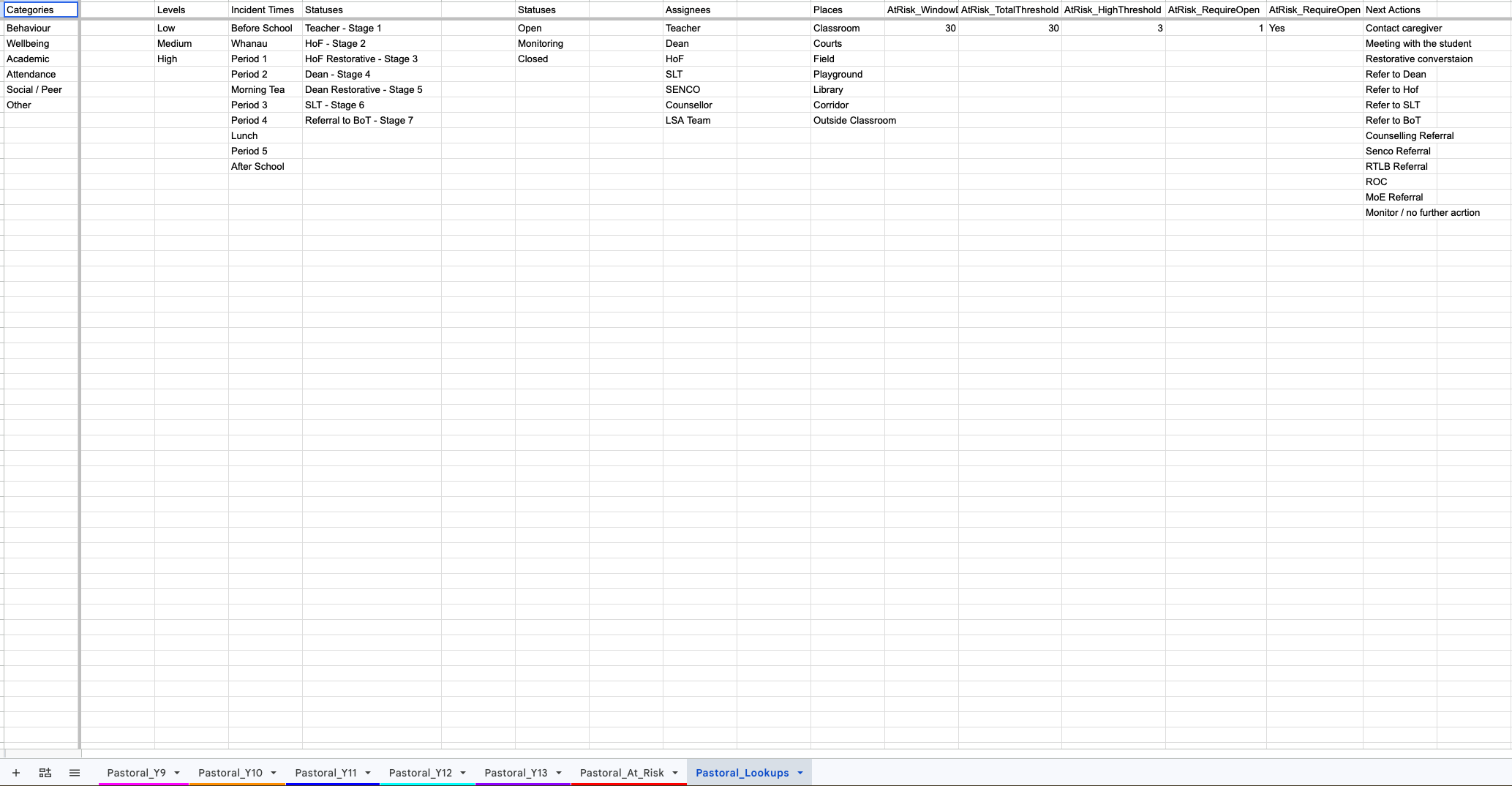
EduPastoral can be tailored to match your school’s pastoral processes. Schools can customise:
Concern categories
Incident locations
Staff roles
Follow-up actions
At-risk thresholds
This flexibility allows the system to align with existing pastoral policies and workflows.
Designed for School Teams
EduPastoral supports collaboration between teachers, deans, pastoral leads, SENCO teams, and senior leadership by providing a shared system for recording and reviewing pastoral information.
Your school controls who can view or edit pastoral records through Google Sheets sharing permissions. Access to linked Google Docs is managed separately through each document’s sharing settings.
Ideal For
Secondary schools
Pastoral care teams
Deans and year-level leaders
SENCO and wellbeing staff
Senior leadership teams
Clear, Consistent Pastoral Tracking
EduPastoral helps schools move away from scattered notes and inconsistent reporting by providing a structured system for recording pastoral information and supporting student wellbeing.